Office relocation is often treated as a physical project. Desks are packed. Furniture is moved. Contractors prepare the new space. Staff are told when to arrive.
Yet for most businesses, the real risk sits beneath the visible move. Internet access, cloud systems, user accounts, meeting rooms, access control, printers, phones and shared files all need to work together when the new office opens. If they do not, the move becomes an operational disruption rather than a fresh start.
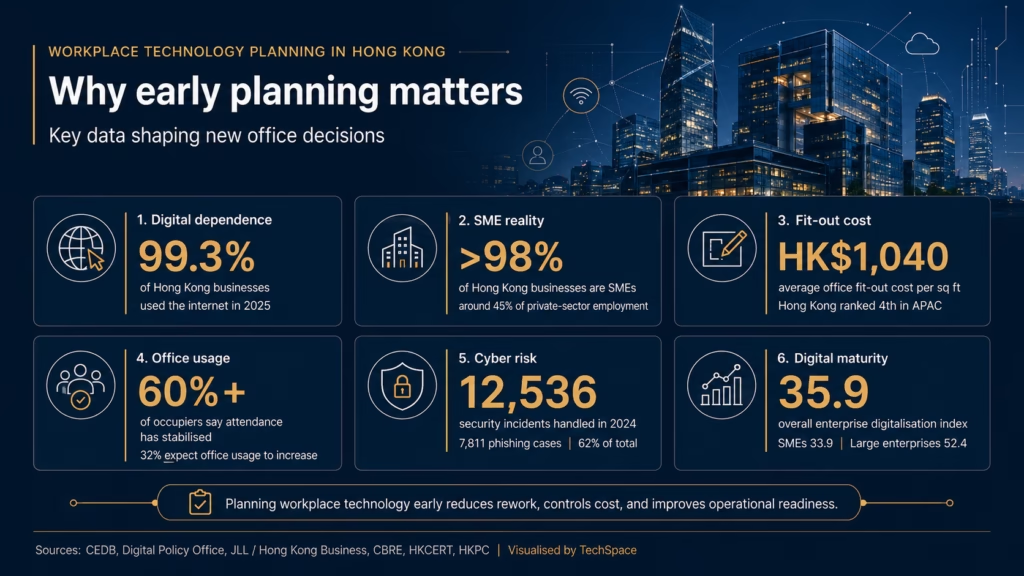
In Hong Kong, relocation decisions have also become more cautious. Knight Frank’s Hong Kong Market Report noted that relocation sentiment appeared weaker, with more tenants expected to renew leases as global trade uncertainty persisted. The report also observed that rising renovation costs were dampening relocation appetite, as initial capital expenditure had become a more significant deterrent for tenants.
That context matters. When a company does decide to move, the technology plan should not be reduced to “moving equipment”. A strong office relocation IT plan should answer a more useful question: what should be moved, what should be upgraded, and what should be replaced before the business enters the new office?
Why IT Decisions Should Be Made Before the Move
An office move is one of the few natural moments when a company can review its technology setup without waiting for something to fail.
Over time, IT environments tend to accumulate small compromises. A firewall installed years ago remains in place. Meeting room equipment still works, but no longer supports hybrid calls properly. WiFi coverage is acceptable in the old office, but may not suit the new layout. User access may have grown messy as staff joined, changed roles or left the company.
Moving everything as-is may feel efficient, but it can carry old problems into a new workspace.
The better approach is to treat relocation as a controlled reset. Before the move, the company should decide which systems are still fit for purpose, which need improvement, and which should be retired before they create risk in the new office.
The Move, Upgrade, or Replace Framework
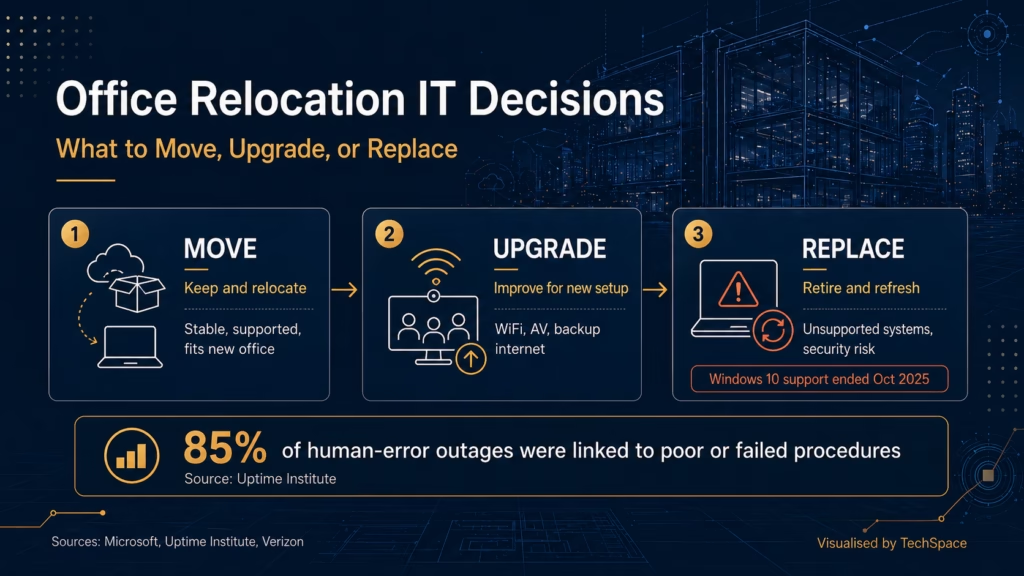
A relocation IT plan should begin with a simple but disciplined framework.
Move
Some systems can be moved with minimal change. This usually applies to equipment and platforms that are stable, secure, documented and still suitable for the company’s next stage.
Examples may include recently purchased laptops, properly managed cloud platforms, supported firewall equipment, current network switches or AV systems that still match the new office layout. These assets should still be checked before the move, but they do not necessarily require major investment.
The key criteria are supportability, compatibility and risk. If the system is still under warranty, has clear admin access, performs reliably and fits the new office design, moving it may be sensible.
Upgrade
Some systems still work, but may not support the new office properly.
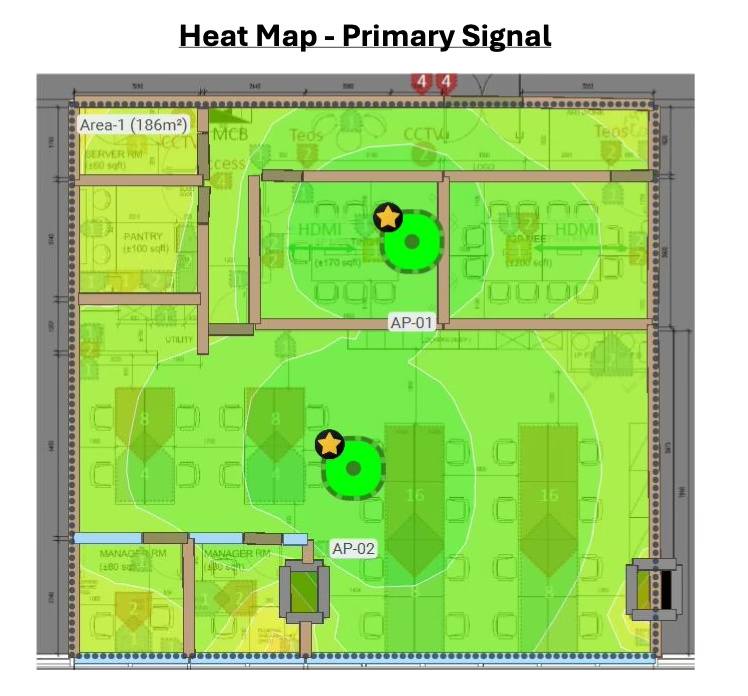
This is common with WiFi, meeting room equipment, backup internet, endpoint management and network switches. The current setup may have been acceptable for a smaller office or simpler layout, but a relocation often changes the environment. New partitions, more meeting rooms, higher staff density or hybrid work expectations can expose old limitations.
An upgrade is appropriate when the system is not fundamentally broken, but capacity, reliability or usability may become a problem.
Replace
Replacement should be considered when existing systems create security risk, performance issues or long-term maintenance cost.
This may include unsupported operating systems, ageing desktops, legacy servers, unmanaged devices, poorly documented cabling or access control systems with limited vendor support.
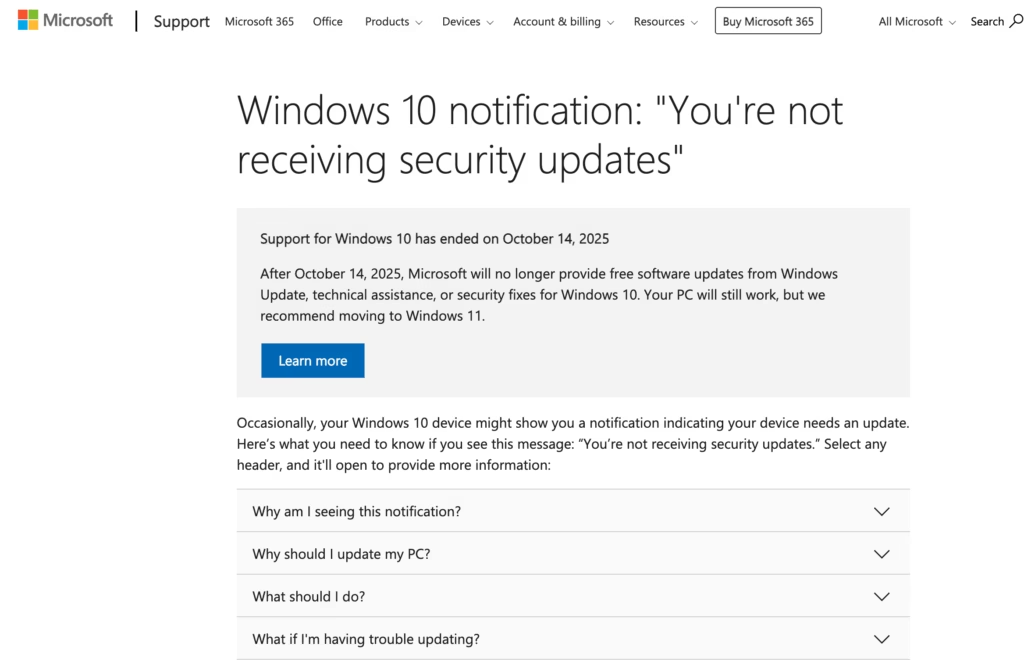
For example, Microsoft states that Windows 10 support ended on 14 October 2025. After that date, Microsoft no longer provides free software updates from Windows Update, technical assistance or security fixes for Windows 10. For companies still running older endpoints, relocation is a practical moment to decide whether those devices should be refreshed rather than simply carried into the new office.
The question is not only whether a system still turns on. The question is whether it should remain part of the company’s operating environment.
Start with an IT Asset and Dependency Audit
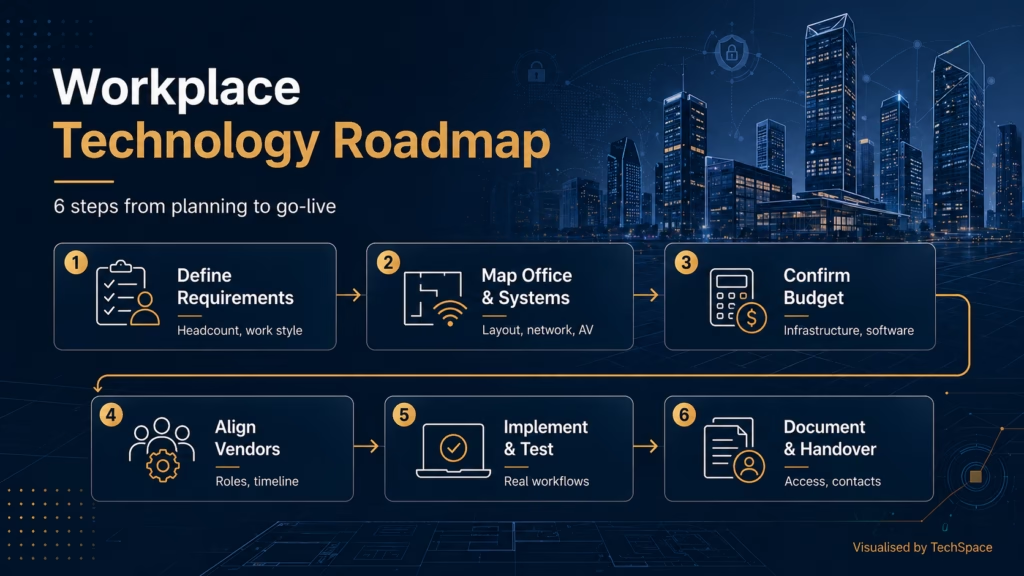
Before any equipment is moved, the company should complete an IT asset and dependency audit.
This does not need to be overly complicated, but it should be thorough enough to remove guesswork. The audit should cover hardware, software licences, cloud systems, user accounts, printers, shared devices, network equipment, admin access, backup systems, security tools and vendor contracts.
Dependencies are just as important as assets. A printer may depend on a local network configuration. A door access system may depend on a specific vendor. A file server may still support a workflow that only one department understands. A legacy application may require a particular machine, login or network path.
Without this audit, relocation becomes reactive. The company may only discover what matters when something fails.
Build a Cutover Plan Around Procedures, Not Hope
A cutover plan defines how the business moves from the old office environment to the new one.
This is where procedure matters. Companies should define acceptable downtime, decide whether old and new offices can overlap, confirm ISP readiness, prepare temporary connections where needed, and schedule critical migration work during low-traffic hours. A rollback option should also be considered for key systems.
The risk is often procedural rather than purely technical. Uptime Institute’s 2025 Annual Outage Analysis found that nearly 40% of organisations had suffered a major outage caused by human error over the previous three years. Of those incidents, 85% stemmed from staff failing to follow procedures or from flawed procedures themselves. The same analysis noted that the share of human-error-related outages caused by failure to follow procedures rose by 10 percentage points compared with 2024.
For an office relocation, this is directly relevant. A move involves timing, sequencing, vendor handovers, configuration changes and live business systems. The cutover plan should not live only in someone’s head. It should clearly state what happens, who owns each step, what must be tested, and what happens if a critical system does not come online as expected.
Review Security Before Reconnecting Systems
Relocation is also a useful moment to clean up security.
Old offices often carry old habits. Shared admin accounts, unused user profiles, weak passwords, unmanaged laptops, open WiFi settings and unclear access rights can remain in place for years because no one wants to interrupt daily operations.
The local risk environment supports a more careful approach. The Office of the Privacy Commissioner for Personal Data reported that it received 203 data breach notifications in 2024, up nearly 30% from 157 notifications in 2023. It also received 1,158 enquiries relating to suspected personal data frauds, a 46% increase from 2023.
Before systems are reconnected in the new office, companies should review multi-factor authentication, endpoint protection, user permissions, admin access, VPN settings, guest WiFi separation, device encryption and offboarding processes. Physical access should be reviewed at the same time, including who can enter the office, comms room, server area and restricted work zones.
A new office should not inherit old access risks by default.
Manage Third-Party and Vendor Risk
Many relocation issues are coordination issues.
The IT team may depend on the cabling contractor. The cabling contractor may depend on ceiling access. The ISP may depend on landlord or building management approval. The AV vendor may depend on furniture installation. The workplace security system installer may need door hardware to be ready first.
This is not only a project management concern. It is also a risk issue. Verizon’s 2025 Data Breach Investigations Report found that third-party involvement in breaches doubled to 30%, while exploitation of vulnerabilities increased by 34%.
An office move usually involves more vendors touching systems than usual. A relocation IT plan should therefore define who owns each task, what access each vendor needs, how credentials are managed, what each vendor depends on, and what must be removed or closed after the work is complete.
Without that control, even a well-chosen technology setup can become exposed during transition.
Final Relocation IT Checklist
Before the move, businesses should confirm the following:
- Existing systems have been audited
- Assets are categorised as move, upgrade or replace
- Unsupported devices and software have been identified
- ISP installation and network readiness are confirmed
- Cabling, WiFi and comms room requirements are aligned with the new layout
- Cutover procedures, owners and fallback options are agreed
- User access and admin accounts have been reviewed
- Vendor access is controlled and documented
- Critical workflows have been tested
- Systems are validated before staff arrive
For the final validation stage, businesses can also use a pre-go-live IT infrastructure checklist before the first working day.
Final Thoughts
An office relocation is more than a change of address. It is a practical moment to decide whether existing IT still supports the way the business works.
The strongest relocation plans do not simply move equipment from one place to another. They reduce downtime, remove old risks, and prepare the company for the next stage of growth.
Contact TechSpace today to plan your office relocation IT setup and keep your business running smoothly through the move.